Advanced Grids/FAQ
The Goal of Advanced Grids
Advanced Grids aims to be a comprehensive resource for intermediate to advanced players looking to optimize their grids and teams. It covers many aspects of the game such as grid theory and team-building concepts, but it also provides example team setups for every notable raid in the game. The setups posted are contributed by ordinary players (like you!) and demonstrate possible ways to approach different content.
It is very important to stress that the setups listed are not the only way to clear or farm a raid. They are meant to serve as examples of strategies that have worked for other players, not neccessarily strict templates that must be copied exactly. The intention is to provide guidance and ideas. The last thing you should be taking away from them is: "I can't do this raid because I can't copy any of the setups."
FAQ
 |
Got a question not answered here? |
|---|

Can I add my own setups?
Yes!
Anyone can add their own setup to Advanced Grids. If you want to do it, you will first need a wikitext export.
- You can get one by inserting your team in Cajun's Grid Maker and clicking "Export to Wikitext".
- Alternatively, you can also install the GBF Party Parser Bookmarklet.
- Once you have your wikitext export, locate the


- From here, follow the pre-existing templating and add your wikitext export where you think it fits best.
- For additional info, including the infoboxes used above setups, check the Manual of Style.



We also have a video guide on how to do this, if you prefer a more visual example:
If you're lost or not confident you can handle it yourself, you can also just submit the grid over at the wiki's Discord Server, in the #wiki-grids channel.

Can I add someone else's setup?
Yes, as long as you include a reference to where it was originally posted (X or YouTube link for example).
You can do so by filling in the |source= field at the bottom of your TeamSpread export. The format should be as follows:
|source=(link) - (author)- For example,
|source=https://www.youtube.com/watch?v=nO8OmvIdjpI - dy_dk
For info on how to add a setup, see Can I add my own setups?.
However, please try to test setups a few times before adding them to the wiki to make sure the showcase wasn't a cherry-picked run. Remember that just because someone posted a setup doesn't mean it's a good one.

I'm missing piece(s) for a setup. How do I find replacements?
The instinct to look for direct replacements for pieces you are missing is natural, but unfortunately, there usually isn't an easy answer to this question.
If you're only missing a weapon or a damage boosting sub aura summonExample:
Archangel Summons
However, characters and Providence Summons are more complicated. Providence Summons have extremely unique call effects, and each character possesses a unique skill set, so it's very rare to find a direct downgrade that does the exact same thing.
In situations like this, try to identify what the character is actually doing in the setup by reading their kit and comparing it with the raid mechanics. Often, only part of their kit is essential. Many setups also include video showcases which you can use as a reference. From there, you can check your characters to find others that can fulfil those roles.
Wiki indexes can also be helpful. For example, if your setup requires frequent buff removal, you can browse the 

In most cases, you'll find that there won't be a perfect 1-to-1 replacement. Instead, you may find characters that are able to cover some of the things you need, which means you'll likely need to adjust other parts of the setup to compensate.
However, in certain setups, you may simply be unable to replace a certain piece. Some roles are extremely specific and only a few options in the game can fulfill them - but you'll never know if you don't try.

Why don't you provide more info on replacements?
- See also: How do I find replacements?
It is simply not feasible for wiki contributors (or anyone in fact) to test and list replacements for every component of a team.
Even if we only consider characters, each element has 90+ SSRs. While the majority can be easily dismissed from theorycrafting, properly testing for reliable replacements is still an extremely time-consuming process.
Requiring replacements be listed for every wiki setup would greatly increase the workload for contributors both for initial testing and for maintaining lists as new characters are released.
Additionally, replacements are rarely 1-to-1 and often necessitate further changes in the grid, summons, or other characters.
Ultimately, the reality of the situation is that when readers are looking for replacements, they are looking for options that they personally own. However, wiki contributors have no way of knowing what one specific player has in their inventory, so the responsibility falls on you to experiment and test alternatives.

Why don't you list "minimum viable" grids for raids?
This isn't really possible in any meaningful way. Granblue Fantasy is a gacha game with infinite permutations of characters and minimum grid requirements will depend on what characters a player has available. A player with top-tier "meta" characters may be able to get away with a weaker grid, whereas a player with zero options for specific raid mechanics won't be able to make a team regardless of grid.
Additionally, we take great care to make sure players aren't misled by our guidance. We want to avoid possible side-effects, such as purchasing a Suptix or other paid promotion for a low-tier character when they'd be much better served by something else.
While we may not be able list "minimum viable" grids, we aim to showcase a vast range of setups from both a character and grid perspective. Even if you can fully replicate a team, we strongly encourage experimenting with different characters and grid choices!

How do I learn to make my own setups?
To learn how to make your own setups, you first need to familiarize yourself with the characters you own. Start by reading your characters' kits and mentally noting down what each one can do. Try categorizing them by the standout features in their kit, such as:
- "This character dispels often and does a bunch of skill damage"
- "This character has extremely strong buffs for normal attack"
- "This character charge attacks frequently and inflicts a lot of debuffs when that happens"
For weapons, you can check out the Advanced Grids frontpage as well as the pages for each element for info on the various types of weapons and what they do.
You ideally want to match up characters to the raid mechanics and then pick weapons that synergize with the characters that you have chosen. Try to play the raid manually instead of Full Auto a few times to get a better intuition of what it's asking for. Your goal should be to build a deeper understanding of how and where something is useful rather than it being just "good" or "bad."
To help you get started, you can find some grid templates on each element subpage. You can also find teambuilding examples there that can help you understand the thought process that goes into creating a team.
Additionally, there are other external resources that can help, such as the Granblue Academy series, created by User:Vazkii.

Why do setups for a raid use the weapons from the raid?
Setups often include weapons obtained from the same raid or even from raids further in progression because:
- Many players posting setups are already farming the raid consistently rather than clearing it for the first time.
- Over time, more players naturally acquire these weapons and incorporate them into their grids.
Don't fret, though! These setups are just examples, and more often than not, these items are included because the person who contributed the setup had them rather than because you need them. Remember that when the raid came out, no one had these at all, so it's obviously clearable without them. Just try something else in that slot and see how it goes!
Why are low-rank raid setups so expensive?
Setups for low-rank raids (~170 or lower) tend to be built for daily hosts rather than for farming their drops. Because of this, they may include gear that is stronger than what players at that rank typically have.
When starting out, you're not expected to solo any of these raids, let alone Full Auto them. Make sure to use the 
For early progression, especially newcomers with not many characters available, we recommend the following:
- For daily hosting: Request Backup immediately because people prefer to join raids that are at full HP. Higher level players will often come to your aid.
- For farming: Try to join other players' raids actively and focus on getting the honors required to guarantee a Blue Chest drop if the raid has one. The specific honor requirement can be found on the raid's wiki page.

Why are some pages so small or out of date?
Maintenance of Advanced Grids page is done by a small subset of wiki volunteers during their free time. Because of this, there's only so much that can be done, and some pages (especially less crucial ones) tend to not be updated as often.
If you're looking for setups for a raid and aren't finding much here, try our Search Term Generator.
Also, psst, if you have extra time on your hands and want to help improve these pages, you're more than free to do so. Anyone can edit them - just see the above points.

How are setups ordered?
In general, from fastest to slowest. For raids where times aren't listed, strongest to most budget-friendly with the first setup typically being the recommended best option (at the time it was added).
Setups in further tabs will usually be easier to reproduce but may not be as fast or optimal.

What causes a setup to get removed?
In general, we don't remove setups. However, sometimes it is neccessary because:
- The setup is too similar to other listed setups. (In cases like this, the video showcase of the removed setup is linked alongside the existing similar setup.)
- The setup is inconsistent or unreliable.
- The setup is unreasonably hard to reproduce or pilot.
- The setup encourages irresponsible usage of resources.
Notably, on the last point, extremely outdated Optimus Grid setups using obsolete weapons may be removed to avoid encouraging players to spend 



Why do Omega setups have Grand weapons?
Because they synergize well with Omega grids too!
Some Grand weapons can include skills that aren't directly tied to the Optimus summon's aura, allowing them to be used effectively in Omega grids as well. This also means that for some setups, using Grand weapon(s) may be optimal.
However, the wiki team always tries to make setups listed on Omega pages as free-to-play friendly as possible. We try to only include gacha weapons when its absolutely necessary and even then, we aim to include them only if they are a recruit weapon of a character in the team (e.g. a Water team with 


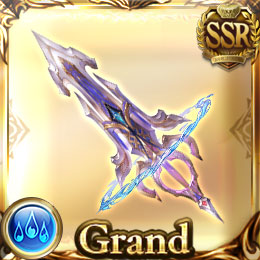
Sometimes, expensive Omega setups may be posted simply because the setup is good but no one has had time to test more budget versions of the grid.